
















Admin8 Jun 2026
ওভেনের ডিসপ্লে কাজ করছে না? জেনে নিন সমাধান
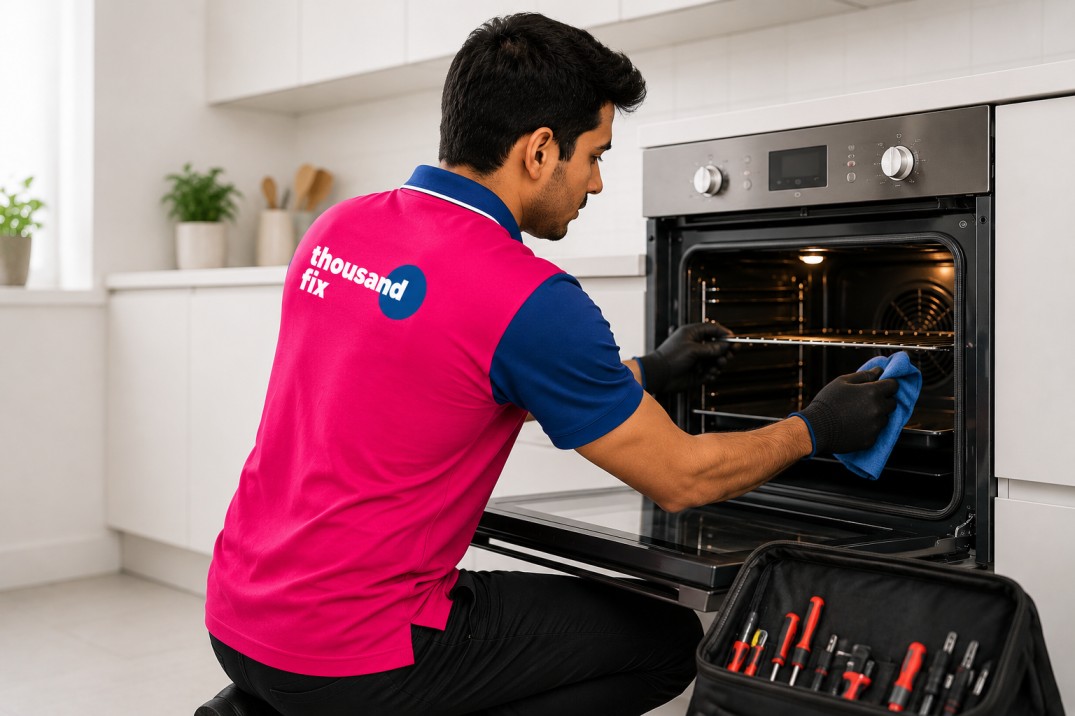
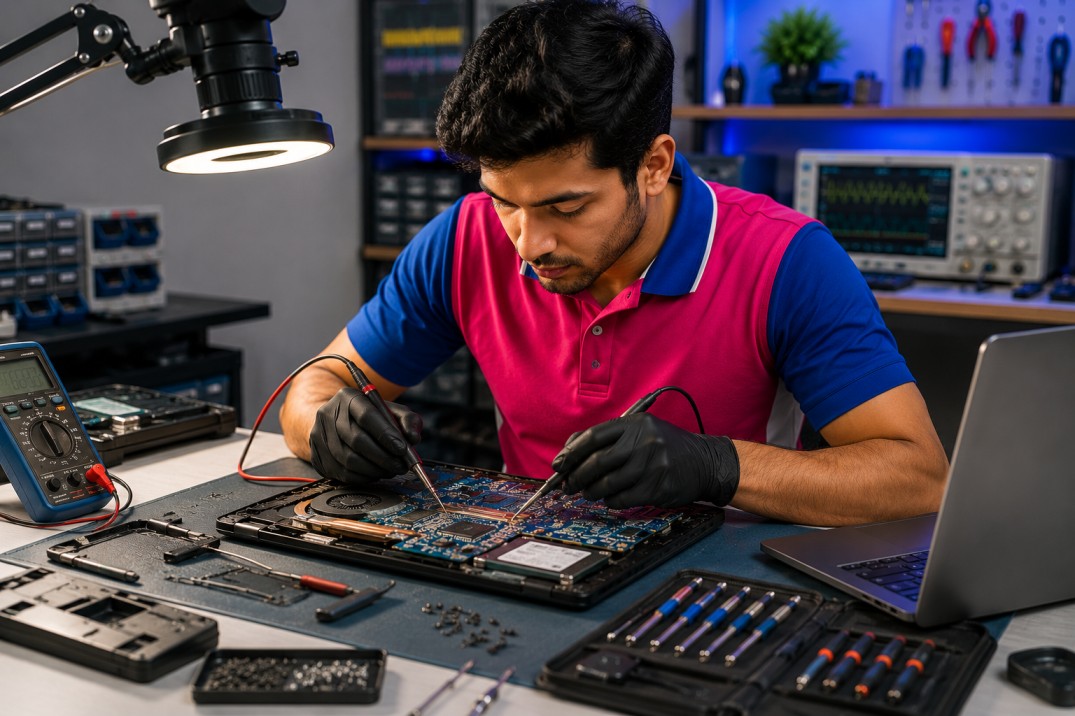
আপনার প্রিয় মাইক্রোওয়েভ ওভেন হঠাৎ করে ডিসপ্লে দেখাচ্ছে না? চিন্তার কিছু নেই! ওভেনের ডিসপ্লে সমস্যা একটি সাধারণ ঘটনা যা প্রায়ই ঘরেই সমাধান করা সম্ভব। এই ব্লগে আমরা বিস্তারিত আলোচনা করব কেন ওভেনের ডিসপ্লে কাজ করছে না এবং কীভাবে আপনি নিজেই এই ডিসপ্লে সমস্যা সমাধান করতে পারবেন।মাইক্রোওয়েভ ওভেন আমাদের দৈনন্দিন জীবনের একটি গুরুত্বপূর্ণ অংশ হয়ে উঠেছে। খাবার গরম করা থেকে শুরু করে রান্না করা পর্যন্ত সবকিছুতে এর ব্যবহার। কিন্তু যখন ওভেনের ডিসপ্লে হঠাৎ বন্ধ হয়ে যায়, তখন পুরো যন্ত্রটি অকেজো মনে হয়। তবে ভালো খবর হলো, বেশিরভাগ ক্ষেত্রে ওভেন মেরামত করা খুবই সহজ এবং কম খরচে সম্ভব।এই ব্লগে যা যা থাকছে১. ওভেনের ডিসপ্লে সমস্যার সাধারণ কারণগুলো২. পাওয়ার সাপ্লাই চেক করুন৩. কন্ট্রোল প্যানেল পরীক্ষা করুন৪. ডিসপ্লে বোর্ড সমস্যা চিহ্নিতকরণ৫. চাইল্ড লক ফিচার চেক করুন৬. ডিসপ্লে ঠিক করার ঘরোয়া পদ্ধতি৭. কখন টেকনিশিয়ানের সাহায্য নেবেন৮. ওভেন ডিসপ্লে রিপেয়ার খরচ৯. প্রতিরোধমূলক টিপস১০. থাউজেন্ড ফিক্স ওভেন সার্ভিস১. ওভেনের ডিসপ্লে সমস্যার সাধারণ কারণগুলোওভেনের ডিসপ্লে কাজ না করার পেছনে বিভিন্ন কারণ থাকতে পারে। প্রথমেই আমাদের বুঝতে হবে যে ডিসপ্লে সমস্যা মানেই যে পুরো মাইক্রোওয়েভ ওভেন নষ্ট হয়ে গেছে তা নয়। অনেক সময় ছোটখাটো সমস্যার কারণেও ডিজিটাল ডিসপ্লে সমাধান প্রয়োজন হয়।ইলেকট্রনিক ওভেন সমস্যার মধ্যে ডিসপ্লে না জ্বলা সবচেয়ে সাধারণ। এর পেছনে মূল কারণগুলো হলো:বিদ্যুৎ সরবরাহে সমস্যা: অনেক সময় পাওয়ার সকেট বা প্লাগে সমস্যার কারণে ওভেনের ডিসপ্লে জ্বলে না। এটি ওভেন মেরামত এর প্রথম ধাপে পরীক্ষা করা উচিত।ফিউজ নষ্ট হওয়া: মাইক্রোওয়েভ ওভেন এর ভিতরে থাকা ফিউজ পুড়ে গেলে ডিসপ্লে সমস্যা দেখা দিতে পারে।কন্ট্রোল বোর্ড ত্রুটি: কন্ট্রোল প্যানেল সমস্যা হলে ডিসপ্লে সম্পূর্ণভাবে কাজ বন্ধ করে দিতে পারে।ডিসপ্লে বোর্ড নষ্ট: দীর্ঘদিন ব্যবহারে ডিসপ্লে স্ক্রিন সমস্যা হতে পারে যা ওভেন ডিসপ্লে রিপেয়ার প্রয়োজন করে।ভোল্টেজের তারতম্য: হঠাৎ বিদ্যুৎ বৃদ্ধি বা হ্রাস পেলে ওভেনের ডিসপ্লে ক্ষতিগ্রস্ত হতে পারে।মনে রাখবেন: ওভেনের ডিসপ্লে সমস্যা শনাক্ত করার আগে নিশ্চিত হয়ে নিন যে ওভেনটি সম্পূর্ণভাবে বিদ্যুৎ সংযোগ থেকে বিচ্ছিন্ন করেছেন। নিরাপত্তা সবসময় প্রথম অগ্রাধিকার।২. পাওয়ার সাপ্লাই চেক করুনওভেনের ডিসপ্লে কাজ না করলে প্রথমেই পাওয়ার সাপ্লাই পরীক্ষা করুন। অনেক সময় আমরা ভাবি যে মাইক্রোওয়েভ ওভেন নষ্ট হয়ে গেছে, কিন্তু আসলে সমস্যা থাকে বিদ্যুৎ সংযোগে। পাওয়ার সমস্যা সমাধান করা খুবই সহজ এবং এতে কোনো খরচ হয় না।পাওয়ার সাপ্লাই পরীক্ষা করার জন্য নিম্নলিখিত পদক্ষেপগুলো অনুসরণ করুন:প্লাগ সংযোগ পরীক্ষা: নিশ্চিত করুন যে ওভেনের প্লাগ সঠিকভাবে সকেটে লাগানো আছে। অনেক সময় ঢিলা সংযোগের কারণে ডিসপ্লে সমস্যা হয়।সকেট টেস্ট: অন্য কোনো যন্ত্র দিয়ে সকেট পরীক্ষা করুন যে বিদ্যুৎ আসছে কিনা। এটি ওভেন মেরামত এর একটি গুরুত্বপূর্ণ ধাপ।এক্সটেনশন কর্ড এড়িয়ে চলুন: মাইক্রোওয়েভ ওভেন সরাসরি ওয়াল সকেটে সংযুক্ত করুন, এক্সটেনশন ব্যবহার করবেন না।সার্কিট ব্রেকার: বাড়ির মেইন সার্কিট ব্রেকার বা ফিউজ চেক করুন।ভোল্টেজ পরীক্ষা: টেস্টার দিয়ে সকেটের ভোল্টেজ মাপুন। সঠিক ভোল্টেজ না থাকলে ওভেনের ডিসপ্লে কাজ করবে না।৩. কন্ট্রোল প্যানেল পরীক্ষা করুনপাওয়ার সাপ্লাই ঠিক থাকলেও যদি ওভেনের ডিসপ্লে না জ্বলে, তাহলে কন্ট্রোল প্যানেল সমস্যা হতে পারে। কন্ট্রোল প্যানেল মূলত মাইক্রোওয়েভ ওভেন এর মস্তিষ্ক, যা সকল কমান্ড নিয়ন্ত্রণ করে। এই অংশে সমস্যা হলে ডিসপ্লে ঠিক করা কিছুটা জটিল হতে পারে।কন্ট্রোল প্যানেল পরীক্ষা করার উপায়:বাটন টেস্ট: সকল বাটন চাপুন এবং দেখুন কোনো সাড়া পাচ্ছেন কিনা। কখনো কখনো একটি নির্দিষ্ট বাটন আটকে গেলে পুরো ডিসপ্লে সমস্যা হতে পারে।পরিষ্কার করুন: প্যানেলে ময়লা বা খাবারের অবশিষ্টাংশ জমলে ডিজিটাল ডিসপ্লে সমাধান প্রয়োজন হয়। নরম কাপড় দিয়ে আলতো করে পরিষ্কার করুন।আর্দ্রতা পরীক্ষা: রান্নাঘরে অতিরিক্ত আর্দ্রতা থাকলে কন্ট্রোল প্যানেলে পানি প্রবেশ করতে পারে যা ওভেন ডিসপ্লে রিপেয়ার প্রয়োজন করে।ঢিলা সংযোগ: প্যানেলের পেছনের তার সংযোগ ঢিলা হয়ে গেলে ওভেন মেরামত করতে হবে।অনেক সময় কন্ট্রোল প্যানেল সমস্যা অস্থায়ী হয়। ওভেনটি ১৫-২০ মিনিট আনপ্লাগ করে রাখুন, তারপর আবার চালু করুন। এই সহজ পদ্ধতিতে অনেক সময় ডিসপ্লে ঠিক করা সম্ভব হয়।৪. ডিসপ্লে বোর্ড সমস্যা চিহ্নিতকরণযদি পাওয়ার সাপ্লাই এবং কন্ট্রোল প্যানেল ঠিক থাকে, তাহলে সমস্যা হতে পারে ডিসপ্লে বোর্ডে। ডিসপ্লে স্ক্রিন সমস্যা সাধারণত দীর্ঘদিন ব্যবহারের ফলে হয়। মাইক্রোওয়েভ ওভেন এর ডিসপ্লে বোর্ড একটি সংবেদনশীল ইলেকট্রনিক যন্ত্রাংশ যা সহজেই ক্ষতিগ্রস্ত হতে পারে।ডিসপ্লে বোর্ড সমস্যার লক্ষণ:আংশিক ডিসপ্লে: ওভেনের ডিসপ্লে এর কিছু অংশ জ্বলছে, কিছু অংশ জ্বলছে না।ঝাপসা ডিসপ্লে: সংখ্যা বা অক্ষর অস্পষ্ট দেখাচ্ছে।ঝিকমিক করা: ডিসপ্লে সমস্যা যেখানে স্ক্রিন অন-অফ হতে থাকে।ভুল তথ্য প্রদর্শন: ভুল সময় বা ভুল সেটিংস দেখানো।সম্পূর্ণ কালো স্ক্রিন: যদিও ওভেন চালু আছে কিন্তু ডিসপ্লে ঠিক করা সম্ভব হচ্ছে না।ডিসপ্লে বোর্ড পরীক্ষা করতে হলে ওভেনের কভার খুলতে হবে। তবে এটি নিজে করার চেষ্টা করবেন না যদি আপনার ইলেকট্রনিক্সে অভিজ্ঞতা না থাকে। ইলেকট্রনিক ওভেন সমস্যা যা ডিসপ্লে বোর্ডের সাথে জড়িত, তা প্রফেশনাল টেকনিশিয়ান দিয়ে দেখানো ভালো।৫. চাইল্ড লক ফিচার চেক করুনঅনেক আধুনিক মাইক্রোওয়েভ ওভেন এ চাইল্ড লক ফিচার থাকে। এটি একটি নিরাপত্তা ব্যবস্থা যা শিশুদের দুর্ঘটনাবশত ওভেন চালু করা থেকে বিরত রাখে। কিন্তু অনেক সময় অজান্তেই এই ফিচার সক্রিয় হয়ে যায়, এবং তখন মনে হয় ওভেনের ডিসপ্লে কাজ করছে না।চাইল্ড লক চেক করার পদ্ধতি:ম্যানুয়াল পড়ুন: প্রতিটি মাইক্রোওয়েভ ওভেন এর চাইল্ড লক সিস্টেম ভিন্ন হয়। আপনার ওভেনের ম্যানুয়াল দেখে নির্দেশনা অনুসরণ করুন।লক আইকন: ডিসপ্লে তে যদি একটি তালা বা লক আইকন দেখেন, তাহলে চাইল্ড লক সক্রিয় আছে।বাটন কম্বিনেশন: সাধারণত “Stop” বা “Clear” বাটন ৩-৫ সেকেন্ড চেপে ধরে রাখলে চাইল্ড লক বন্ধ হয়।রিসেট চেষ্টা: যদি ডিসপ্লে সমস্যা চাইল্ড লক থেকে হয়, তাহলে ওভেন রিসেট করুন।চাইল্ড লক সক্রিয় থাকলে কন্ট্রোল প্যানেল সমস্যা মনে হতে পারে কারণ কোনো বাটন কাজ করে না। কিন্তু এটি আসলে কোনো ত্রুটি নয়, বরং একটি ফিচার। তাই ওভেন ডিসপ্লে রিপেয়ার করার আগে এই বিষয়টি নিশ্চিত করুন।৬. ডিসপ্লে ঠিক করার ঘরোয়া পদ্ধতিওভেনের ডিসপ্লে ঠিক করার জন্য কিছু সহজ ঘরোয়া পদ্ধতি আছে যা আপনি নিজেই চেষ্টা করতে পারেন। এই পদ্ধতিগুলো মাইক্রোওয়েভ ওভেন এর সাধারণ ডিসপ্লে সমস্যা সমাধানে খুবই কার্যকর।পদ্ধতি ১: পাওয়ার রিসেটএটি ডিজিটাল ডিসপ্লে সমাধান এর সবচেয়ে সহজ উপায়:ওভেনের প্লাগ খুলে ফেলুন১৫-২০ মিনিট অপেক্ষা করুনএই সময়ে ওভেনের সকল ইলেকট্রনিক কম্পোনেন্ট রিসেট হয়আবার প্লাগ লাগান এবং চেক করুনপদ্ধতি ২: সার্কিট ব্রেকার রিসেটবাড়ির মেইন বোর্ড থেকে ওভেনের সার্কিট ব্রেকার অফ করুন, ৫ মিনিট অপেক্ষা করুন, তারপর অন করুন। এটি ইলেকট্রনিক ওভেন সমস্যা সমাধানে সাহায্য করতে পারে।পদ্ধতি ৩: পরিষ্কার করাকন্ট্রোল প্যানেল এবং ডিসপ্লে এরিয়া ভালোভাবে পরিষ্কার করুন। অনেক সময় ময়লা জমে ডিসপ্লে স্ক্রিন সমস্যা হয়। একটি নরম, সামান্য ভেজা কাপড় ব্যবহার করুন এবং কখনোই সরাসরি পানি ঢালবেন না।পদ্ধতি ৪: ফিউজ পরীক্ষাযদি আপনি ইলেকট্রনিক্স সম্পর্কে কিছু জানেন, তাহলে মেইন ফিউজ চেক করতে পারেন। পুড়ে যাওয়া ফিউজ পরিবর্তন করলে অনেক সময় ওভেন মেরামত হয়ে যায়। তবে সাবধানতা অবলম্বন করুন।৭. কখন টেকনিশিয়ানের সাহায্য নেবেনযদিও অনেক ডিসপ্লে সমস্যা নিজে সমাধান করা যায়, তবে কিছু ক্ষেত্রে প্রফেশনাল সাহায্য প্রয়োজন। মাইক্রোওয়েভ ওভেন একটি জটিল যন্ত্র এবং ভুল হস্তক্ষেপ বিপজ্জনক হতে পারে। নিচের পরিস্থিতিতে অবশ্যই টেকনিশিয়ান ডাকুন:ইলেকট্রিক শক: যদি ওভেন স্পর্শ করলে হালকা শক অনুভব করেন, তাহলে অবিলম্বে ব্যবহার বন্ধ করুন এবং প্রফেশনাল দিয়ে ওভেন ডিসপ্লে রিপেয়ার করান।পোড়া গন্ধ: ওভেনের ভিতর থেকে পোড়া বা অস্বাভাবিক গন্ধ আসলে এটি গুরুতর ইলেকট্রনিক ওভেন সমস্যা নির্দেশ করে।ধোঁয়া বা স্ফুলিঙ্গ: এটি অত্যন্ত বিপজ্জনক এবং তাৎক্ষণিক প্রফেশনাল সাহায্য প্রয়োজন।ওয়ারেন্টি সময়কাল: যদি ওভেন ওয়ারেন্টির মধ্যে থাকে, তাহলে নিজে ওভেন মেরামত করার চেষ্টা করবেন না। এতে ওয়ারেন্টি বাতিল হতে পারে।জটিল সমস্যা: যদি কন্ট্রোল প্যানেল সমস্যা বা ডিসপ্লে বোর্ড পরিবর্তন প্রয়োজন হয়।বারবার সমস্যা: যদি ডিসপ্লে ঠিক করার পর আবার সমস্যা ফিরে আসে।ঢাকা এবং আশেপাশের এলাকায় বেশ কিছু প্রতিষ্ঠান দ্রুত এবং নির্ভরযোগ্য মেরামত সেবা প্রদান করছে। এর মধ্যে থাউজেন্ড ফিক্স একটি উল্লেখযোগ্য প্রতিষ্ঠান যারা ওভেন সার্ভিসে বিশেষায়িত। তারা প্রফেশনাল টেকনিশিয়ান দিয়ে ঘরে ঘরে সেবা প্রদান করে এবং মাত্র ৩৯৯ টাকায় চেকআপ সেবা দিচ্ছে। বিশেষত, থাউজেন্ড ফিক্স তাদের সার্ভিসের উপর ৩০ দিনের ওয়ারেন্টি প্রদান করে, যা গ্রাহকদের জন্য বাড়তি নিশ্চয়তা। এ ধরনের সেবা বিশেষত তাদের জন্য সুবিধাজনক যারা ব্যস্ত জীবনযাপন করেন এবং সার্ভিস সেন্টারে যাওয়ার সময় পান না।একজন দক্ষ টেকনিশিয়ান সঠিক যন্ত্রপাতি এবং পার্টস দিয়ে নিরাপদভাবে ওভেনের ডিসপ্লে সমস্যা সমাধান করতে পারবেন। এছাড়া তারা ওভেনের অন্যান্য সম্ভাব্য সমস্যাও চিহ্নিত করতে পারবেন যা আপনি হয়তো লক্ষ্য করেননি।৮. ওভেন ডিসপ্লে রিপেয়ার খরচওভেন ডিসপ্লে রিপেয়ার খরচ ব্র্যান্ড এবং মডেলের উপরও নির্ভর করে। প্রিমিয়াম ব্র্যান্ডের যন্ত্রাংশ বেশি দামি হয়। তবে মনে রাখবেন, একটি নতুন মাইক্রোওয়েভ ওভেন কিনতে ১০,০০০-২৫,০০০ টাকা বা তার বেশি খরচ হয়। তাই যদি মেরামত খরচ ওভেনের দামের ৫০% এর কম হয়, তাহলে ডিসপ্লে ঠিক করা বুদ্ধিমানের কাজ।৯. প্রতিরোধমূলক টিপসওভেনের ডিসপ্লে সমস্যা প্রতিরোধ করার জন্য কিছু সহজ টিপস মেনে চললে আপনার মাইক্রোওয়েভ ওভেন দীর্ঘদিন ভালো থাকবে। প্রতিরোধ সবসময় ওভেন মেরামত থেকে ভালো এবং সাশ্রয়ী।নিয়মিত রক্ষণাবেক্ষণ:নিয়মিত পরিষ্কার: প্রতি সপ্তাহে ওভেনের ভিতর এবং বাইরে পরিষ্কার করুন। কন্ট্রোল প্যানেল সমস্যা এড়াতে প্যানেল এলাকা শুকনো রাখুন।ভেন্টিলেশন: ওভেনের চারপাশে পর্যাপ্ত বায়ু চলাচলের জায়গা রাখুন। অতিরিক্ত গরম হলে ইলেকট্রনিক ওভেন সমস্যা হতে পারে।ভোল্টেজ স্ট্যাবিলাইজার: বিদ্যুৎ ওঠানামা এলাকায় অবশ্যই স্ট্যাবিলাইজার ব্যবহার করুন।সঠিক ব্যবহার: ওভেনের ম্যানুয়াল অনুসরণ করুন এবং ওভারলোড করবেন না।দৈনিক সতর্কতা:ভেজা হাতে কন্ট্রোল প্যানেল স্পর্শ করবেন নাজোরে জোরে বাটন চাপবেন নাওভেনের উপর ভারী জিনিস রাখবেন নাদরজা সাবধানে খুলুন এবং বন্ধ করুনব্যবহারের পর পরিষ্কার কাপড় দিয়ে মুছে নিনএই টিপসগুলো মেনে চললে ডিসপ্লে স্ক্রিন সমস্যা সহ অন্যান্য ত্রুটি থেকে আপনার মাইক্রোওয়েভ ওভেন রক্ষা পাবে। মনে রাখবেন, একটু যত্ন আপনার হাজার টাকা বাঁচাতে পারে।১০. থাউজেন্ড ফিক্স ওভেন সার্ভিসঢাকা শহরে মাইক্রোওয়েভ ওভেন মেরামত সেবার ক্ষেত্রে থাউজেন্ড ফিক্স একটি নির্ভরযোগ্য নাম হয়ে উঠেছে। তারা বিশেষভাবে ওভেন ডিসপ্লে সমস্যা সহ সকল ধরনের ইলেকট্রনিক ওভেন সমস্যা সমাধানে দক্ষ। থাউজেন্ড ফিক্স এর প্রফেশনাল টেকনিশিয়ানরা সকল ব্র্যান্ডের মাইক্রোওয়েভ ওভেন মেরামত করতে পারেন।থাউজেন্ড ফিক্স এর সেবা সমূহ:ঘরে ঘরে সার্ভিস: আপনার বাসায় গিয়ে ওভেন চেক এবং মেরামত করা হয়। সার্ভিস সেন্টারে নিয়ে যাওয়ার ঝামেলা নেই।সাশ্রয়ী চেকআপ: মাত্র ৩৯৯ টাকায় ওভেন চেকআপ সেবা পাওয়া যায়, যা বাজারের সবচেয়ে প্রতিযোগিতামূলক মূল্য।প্রফেশনাল টেকনিশিয়ান: প্রশিক্ষিত এবং অভিজ্ঞ টেকনিশিয়ান যারা ডিসপ্লে বোর্ড থেকে শুরু করে কন্ট্রোল প্যানেল সমস্যা সব সমাধান করতে পারেন।৩০ দিনের সার্ভিস ওয়ারেন্টি: মেরামতের পর ৩০ দিনের ওয়ারেন্টি দেওয়া হয়, যা গ্রাহক সন্তুষ্টির নিশ্চয়তা প্রদান করে।দ্রুত সেবা: কল করার পর দ্রুততম সময়ে টেকনিশিয়ান পাঠানো হয়।সকল ব্র্যান্ড: স্যামসাং, এলজি, শার্প, প্যানাসনিক, ওয়ালটন সহ সকল ব্র্যান্ডের ওভেন মেরামত করা হয়।কেন থাউজেন্ড ফিক্স বেছে নেবেন?ওভেনের ডিসপ্লে কাজ না করা থেকে শুরু করে যেকোনো ধরনের ডিসপ্লে সমস্যা সমাধানে থাউজেন্ড ফিক্স এর অভিজ্ঞতা রয়েছে। তারা শুধুমাত্র ডিসপ্লে ঠিক করা নয়, পুরো ওভেন চেকআপ করে সম্ভাব্য সমস্যাগুলোও চিহ্নিত করেন। ডিজিটাল ডিসপ্লে সমাধান এর পাশাপাশি, তারা হিটিং সমস্যা, টার্নটেবল সমস্যা, এবং অন্যান্য ইলেকট্রনিক ওভেন সমস্যা সমাধান করেন।থাউজেন্ড ফিক্স এর সবচেয়ে বড় সুবিধা হলো তাদের স্বচ্ছ মূল্য নীতি। ওভেন ডিসপ্লে রিপেয়ার খরচ আগেই জানিয়ে দেওয়া হয়, কোনো লুকানো খরচ নেই। এছাড়া ৩০ দিনের ওয়ারেন্টি থাকায় মেরামতের পর যদি কোনো সমস্যা হয়, তা বিনামূল্যে সমাধান করা হয়।সার্ভিস পাওয়ার প্রক্রিয়া:থাউজেন্ড ফিক্স এ কল করুন 16743আপনার ওভেনের সমস্যা বর্ণনা করুনসুবিধাজনক সময় নির্ধারণ করুনপ্রফেশনাল টেকনিশিয়ান আপনার বাসায় যাবেনচেকআপ ও মেরামত সম্পন্ন হবে৩০ দিনের ওয়ারেন্টি সহ সেবা গ্রহণ করুনমনে রাখবেন, ওভেনের ডিসপ্লে সমস্যা দেখা দিলে দ্রুত ব্যবস্থা নেওয়া উচিত। ছোট সমস্যা অবহেলা করলে তা বড় ক্ষতির কারণ হতে পারে। থাউজেন্ড ফিক্স এর মতো নির্ভরযোগ্য সেবা প্রদানকারীর সাহায্যে আপনার মাইক্রোওয়েভ ওভেন দীর্ঘদিন ভালো রাখতে পারবেন।